Rapid Testing for a New Feature
TL;DR
High-level stakeholders wanted a new feature to be integrated into an existing app flow. We had to ensure that the feature was integrated in a comprehensive way, in terms of where in the flow the feature would be integrated, and how it would be represented. I conducted R(apid) I(terative) T(esting) E(valuation) by collaborating closely with designers, to ultimately identify a final design candidate for the next release of the app.
Google’s Research Org was developing an app called DermAssist, which was an AI-powered skin search tool. Users would take pictures of a skin issue that they were experiencing and answer some questions about their symptoms and demographics. DermAssist’s AI would then analyze the inputted information to generate a list of possible skin conditions.
Product
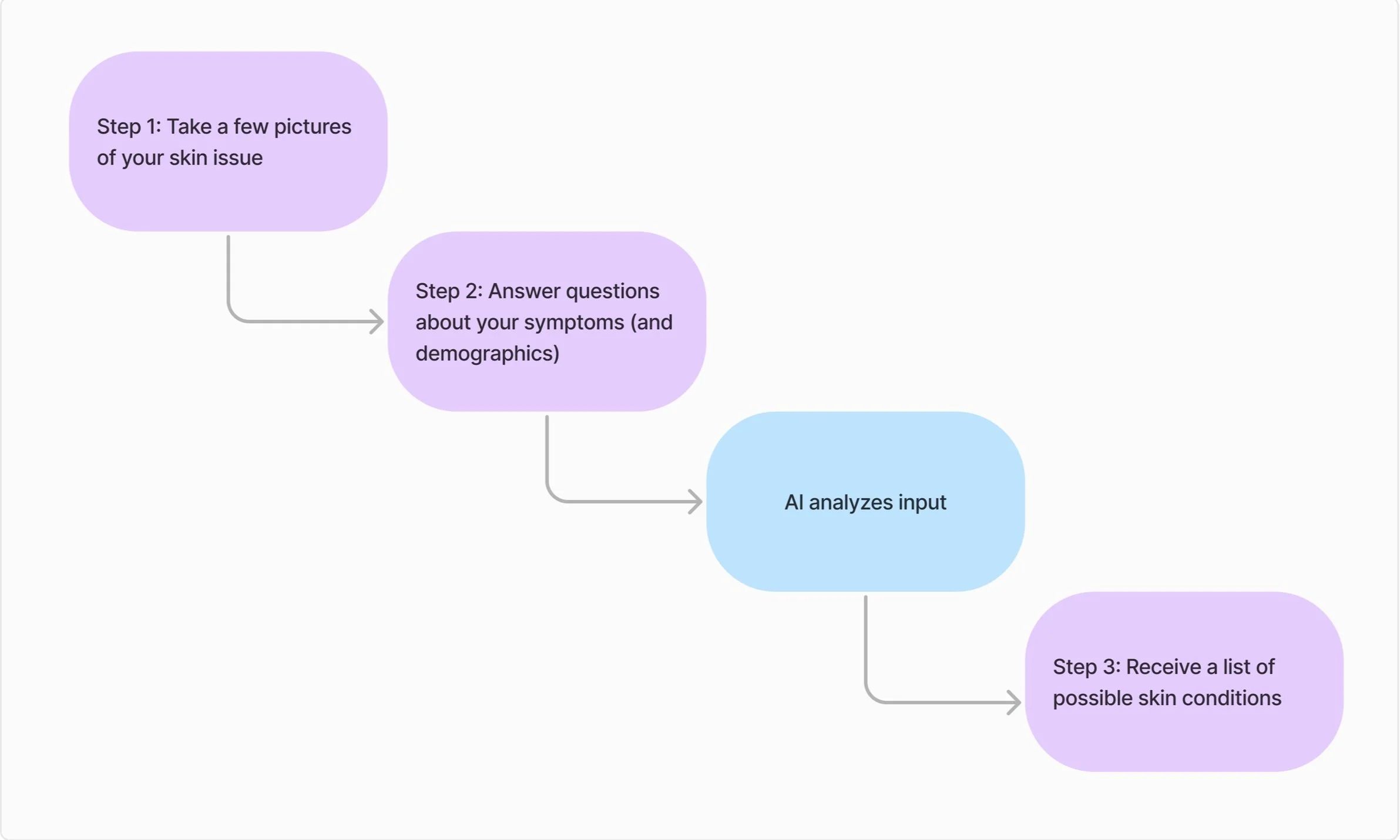
DermAssist’s User Flow
I previously conducted moderated concept testing to identify pain points in the DermAssist’s existing user flow. Based on the findings from my previous study, I generated an actionable recommendation to add a new feature that would enable a smoother user experience.
The product manager received direction from higher ups to add the feature I proposed as soon as possible. Before the design team could implement the new feature in the work flow, we had to ensure that the feature was integrated in a way that optimized the user experience.
Background
Based on our stakeholder requests, the purpose of this study was to:
Ensure user comprehension of the new feature
Identify where to place the feature to optimize user flow
Objectives
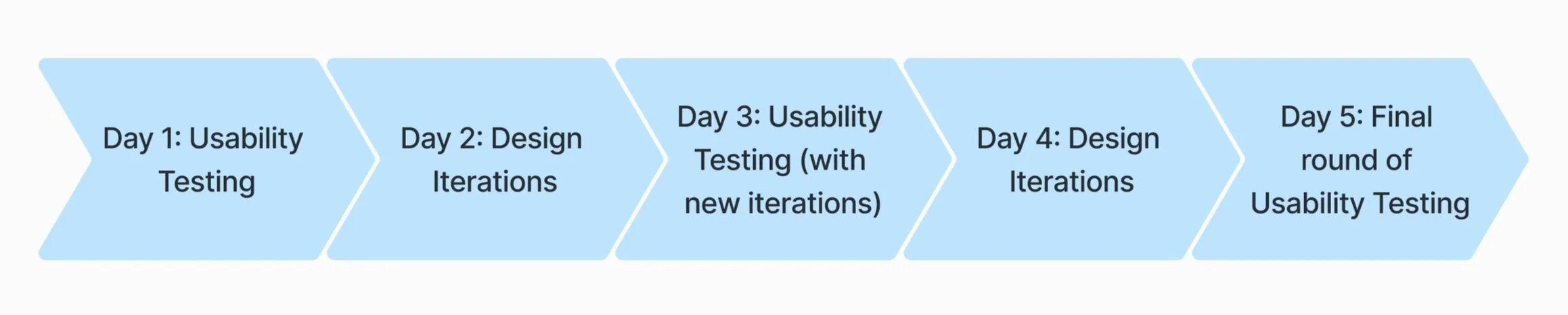
Method: Because our stakeholders wanted to add the feature as soon as possible and we had an existing user flow, we decided to conduct evaluative research using R(apid) I(terative) T(esting) E(valuation): over the course of a week, days of concept/usability testing were alternated with days of design iterations.
Study Design
Participants: 8 users (typical number for moderated qualitative research) were recruited from a UserZoom participant pool and participated in a 30-minute interview. Participants were selected based on answering yes to the screening criteria of “Have you ever done an online search to get information about a health issue before?”
🚨Roadblock🚨
The design team wanted to test several different concepts on users from the general population (as opposed to company employees). The concepts had slight variations in the amount of wording or illustrations, which would be difficult for the lay user to recognize.
I had to advocate for proper research practices with the designers, and explain to them that too many concepts would overwhelm the participants and subsequently decrease the quality of their responses.
Process: Each interview started with high-level concepts of the app to give the user context of how the app flow worked. While we were walking through the app flow, I probed for comprehensiveness and user expectations of the new feature. I would also probe to ensure that the location and visual representation of the feature made sense to users. Questions I used to probe included:
What do you think is happening on this screen?
What would you do on this page?
What would you expect to happen if you clicked on this button?
What do you think this symbol means?
At the end of each day of user interviews, I would conduct a thematic analysis of the transcripts. I would summarize my findings then translate them into actionable design recommendations by focusing on:
What worked in each concept
What didn’t work in each concept
Any issues in each concept
What to keep
What to change or remove
Any other observations
Analysis
After receiving my recommendations, the designer would update the concepts for the next day of testing. Each iteration brought the user flow closer to adding the feature with the most comprehensive visual representation and in the most optimal location.
End Result
By the end of the week, we had used my research insights to narrow down a candidate for the next release. The final design integrated the feature in a way that was comprehensive and seamless to the existing user flow.